
Tell Google everything you do.
Customers search for the job, not your name. A full services list, and a full menu for restaurants, gives Google more reasons to show you.
7-day free trial. Card required; nothing is charged until the trial ends.
What it does
Services from your categories
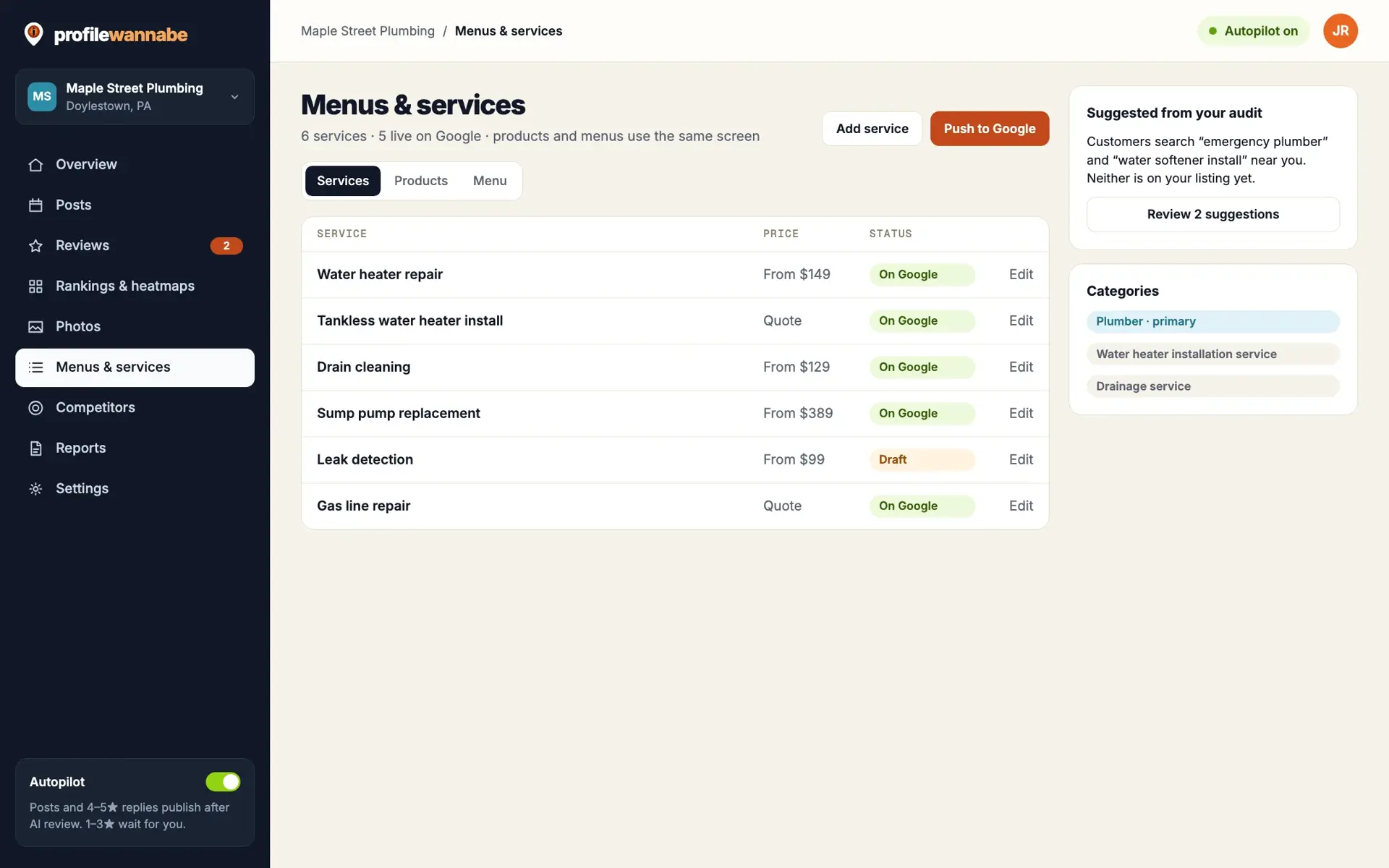
Start from the services Google suggests for your categories, edit them, and push up to 120 to your profile.
Food menus
Restaurants edit menu sections and items and push the whole menu to Google.
Products as context
Your products are saved to the Knowledge Center, so posts and replies can mention them accurately.
Built because empty sections are lost searches.
Most profiles list a handful of services, or none. Every service you leave off is a search you are less likely to show up for.
Editing services and menus inside Google is slow, and easy to put off. So we made it one list you edit here and push in one step.
How it helps you
Show up for more searches
A complete services list covers the jobs people actually search for.
Keep it current
Change a service or a menu item once, push it, done.
Better AI content
Posts and replies draw on the same services and products.
Questions about menus and services.
Can I upload a PDF menu?
You can store a menu file, but it is not read automatically. Menu items are edited in the menu editor and pushed to Google.
Are products pushed to Google?
Not yet. Products are saved to your Knowledge Center and used by the AI for posts and replies.