
Where do you rank on Google Maps?
Your Maps rank changes from street to street. Check it across 49 points around your business for the search your customers use, and see who shows up above you.
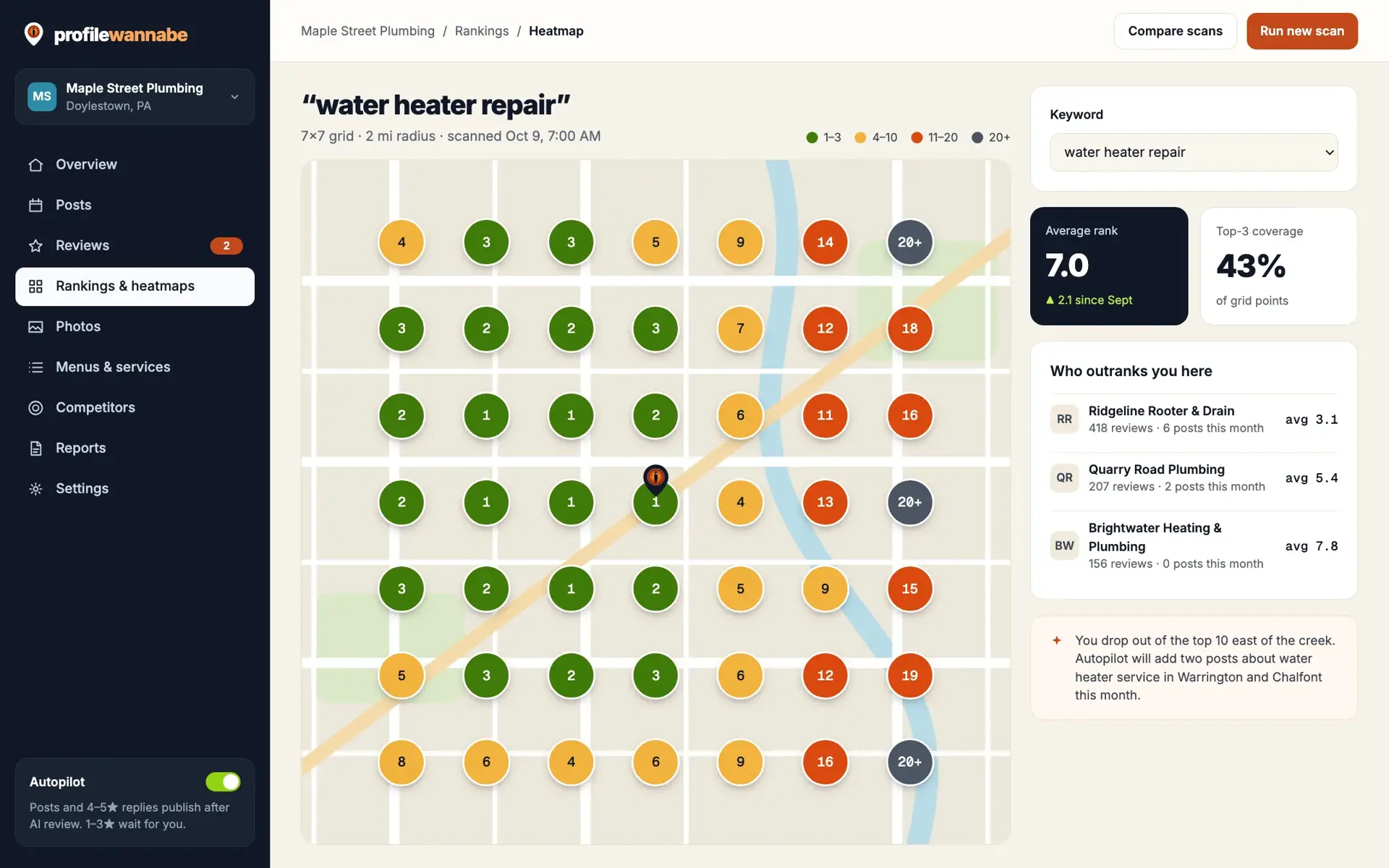
Check your map rank, free
Enter your business and the search customers use. In about a minute you get your rank across the map, the businesses ahead of you and a fix list. We email you a copy too.
One search, 49 points, one minute.
A grid around you
We check Google Maps at 49 points in a 7 by 7 grid reaching 5 miles out from your business.
Your rank at each point
Each point shows where you appear for that search, from first place to not in the top 20.
Who is ahead
See the businesses that come up first where you do not, and how often.
What to fix
Your profile is scored too, with a short list of fixes in order of impact.
About Maps rankings
Why is my rank different in different places?
Google Maps ranks businesses partly by distance from the person searching. The same search can put you first next door and off the list a few miles away, which is why we check a whole grid instead of one spot.
Which search should I check?
The words a new customer would type, such as "plumber near me" or "pizza", not your business name. People who already know your name will find you anyway.
Is it really free?
Yes. No card and no obligation. We email you a copy of the results, and you can unsubscribe from anything after that.
How do I rank higher?
Complete every part of your profile, choose the right categories, keep getting and replying to reviews, and post regularly. The fix list in your results starts with what will help most.